Skip to content

Longhorns Baseball Preview with Drew Bishop

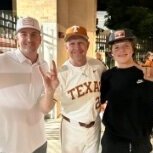
The On Texas Football Longhorns Baseball Preview is out! @CJ Vogel and I sat down with former Texas pitcher/Director of Baseball Operations Drew Bishop. We go in depth on what to expect for the 2024 season, who to keep an eye on, the strengths and weaknesses of this team and much more. 


User Feedback

Recommended Comments

Hornmatic

Supporters

Thanks for the baseball coverage 🤘

horns96

Supporters

That was a great introduction to this years team 🤘

Demon340

Members

Blake will you be ramrodding theTexas baseball coverage this season? It'd be nice to see you take the lead but I know your time will be constricted with your sons baseball as well.

hookem1

Members

I’m rooting for Witt to have a Tristan Stevens ECU-style moment this year. Would love to see him come back and have that redemption arc this season. 

GoHorns1

Supporters

What happened to tonight game?

Robert Gilbert

Supporters

I may be an optimist but I believe that this will be a very good season which will result with a trip to Omaha.  

  • Moderators
2 hours ago, GoHorns1 said:

What happened to tonight game?

I’m glad I’m not the only one who thought it started this weekend.  Next weekend!

  • Moderators
2 hours ago, Robert Gilbert said:

I may be an optimist but I believe that this will be a very good season which will result with a trip to Omaha.  

I’m with you. The potential is there. Let’s get it!

  • Moderators
4 hours ago, Demon340 said:

Blake will you be ramrodding theTexas baseball coverage this season? It'd be nice to see you take the lead but I know your time will be constricted with your sons baseball as well.

Definitely. Going to be doing video segments on Fridays. Bringing in baseball guests. Etc I dunno if I can write about every game but I’ll definitely do my best. 

Join the conversation

You can post now and register later. If you have an account, sign in now to post with your account.

Guest
Unfortunately, your content contains terms that we do not allow. Please edit your content to remove the highlighted words below.
Add a comment...

Account

Navigation

Search

Search

Configure browser push notifications

Chrome (Android)
  1. Tap the lock icon next to the address bar.
  2. Tap Permissions → Notifications.
  3. Adjust your preference.
Chrome (Desktop)
  1. Click the padlock icon in the address bar.
  2. Select Site settings.
  3. Find Notifications and adjust your preference.