






Blake Munroe
Moderators
-
Joined
-
Last visited
Everything posted by Blake Munroe
-
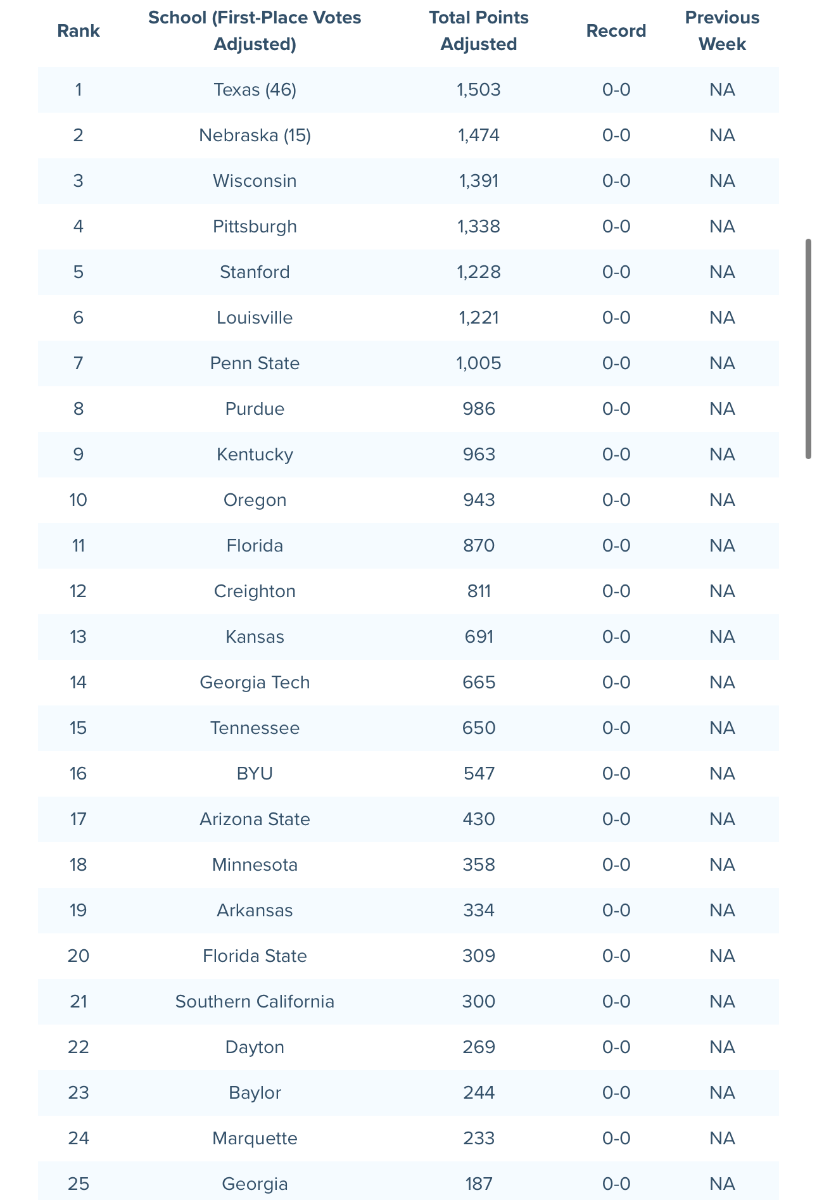
Good morning! Join us for the best Texas talk around. We will be answering questions and talking the hottest topics when it comes to the Longhorns. Show starts at 8:10 AM!Here’s his HUDL: http://www.hudl.com/video/3/16343068/656e1555a0226c09fc9f390dLorena defensive tackle Jackson Blackwell will visit Texas next weekend when the Longhorns play host to Colorado State. The 6-foot-3, 305-pound defender is currently committed to Baylor, but holds multiple P4 offers. Last season Blackwell posted 56 tackles, including ten for a loss, and 2.5 sacks. (First reported by 247Sports’ Hank South)Join us at 8 AM for OTF’s Coffee and Football. We’ll be talking all the latest news and notes, plus we’ll answer your questions.Fresh off their run to a National Championship, Texas Volleyball has high expectations yet again this season. The Longhorns are ranked No. 1 in the American Volleyball Coaches Association Poll after receiving 46 (out of 61) first place votes.
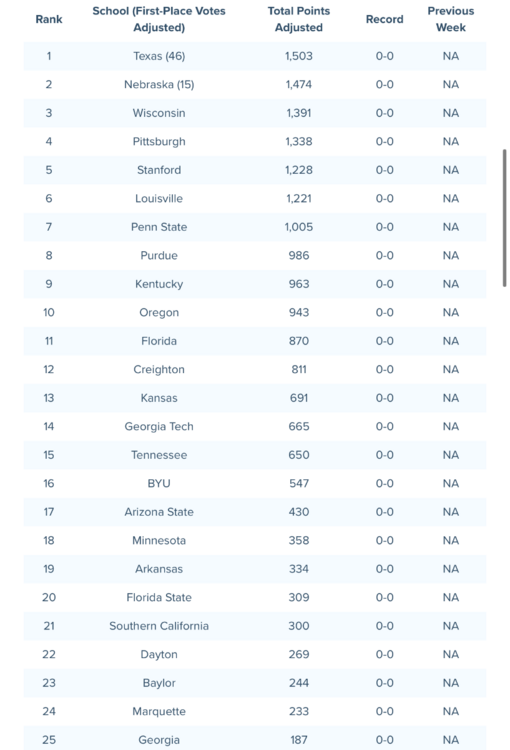 Five of the top eight all in the SEC.
Important Information
We have placed cookies on your device to help make this website better. You can adjust your cookie settings, otherwise we'll assume you're okay to continue.
Account
Navigation
Search
Configure browser push notifications
Chrome (Android)
- Tap the lock icon next to the address bar.
- Tap Permissions → Notifications.
- Adjust your preference.
Chrome (Desktop)
- Click the padlock icon in the address bar.
- Select Site settings.
- Find Notifications and adjust your preference.
Safari (iOS 16.4+)
- Ensure the site is installed via Add to Home Screen.
- Open Settings App → Notifications.
- Find your app name and adjust your preference.
Safari (macOS)
- Go to Safari → Preferences.
- Click the Websites tab.
- Select Notifications in the sidebar.
- Find this website and adjust your preference.
Edge (Android)
- Tap the lock icon next to the address bar.
- Tap Permissions.
- Find Notifications and adjust your preference.
Edge (Desktop)
- Click the padlock icon in the address bar.
- Click Permissions for this site.
- Find Notifications and adjust your preference.
Firefox (Android)
- Go to Settings → Site permissions.
- Tap Notifications.
- Find this site in the list and adjust your preference.
Firefox (Desktop)
- Open Firefox Settings.
- Search for Notifications.
- Find this site in the list and adjust your preference.