






Blake Munroe
Moderators
-
Joined
-
Last visited
Everything posted by Blake Munroe
-
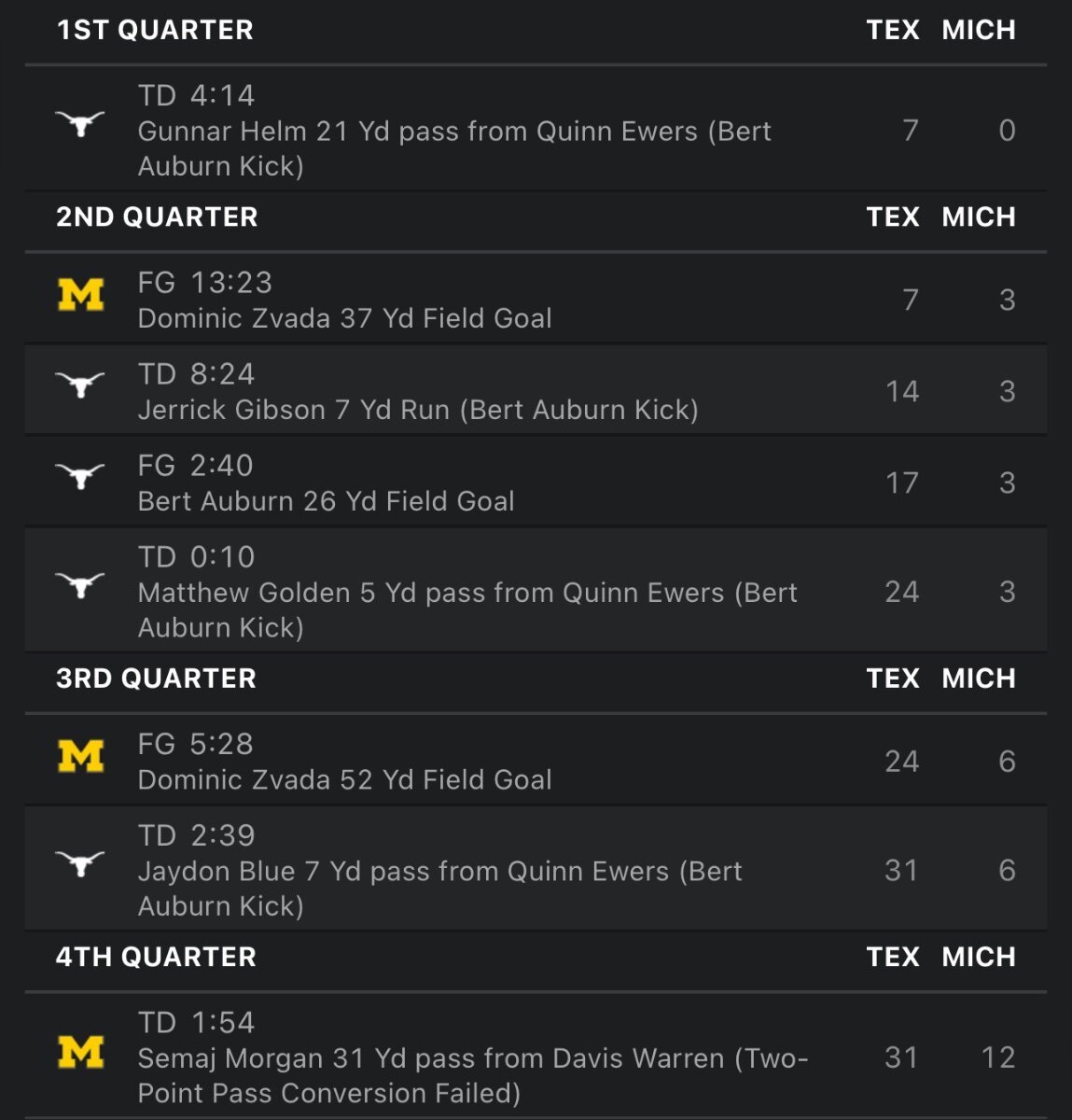
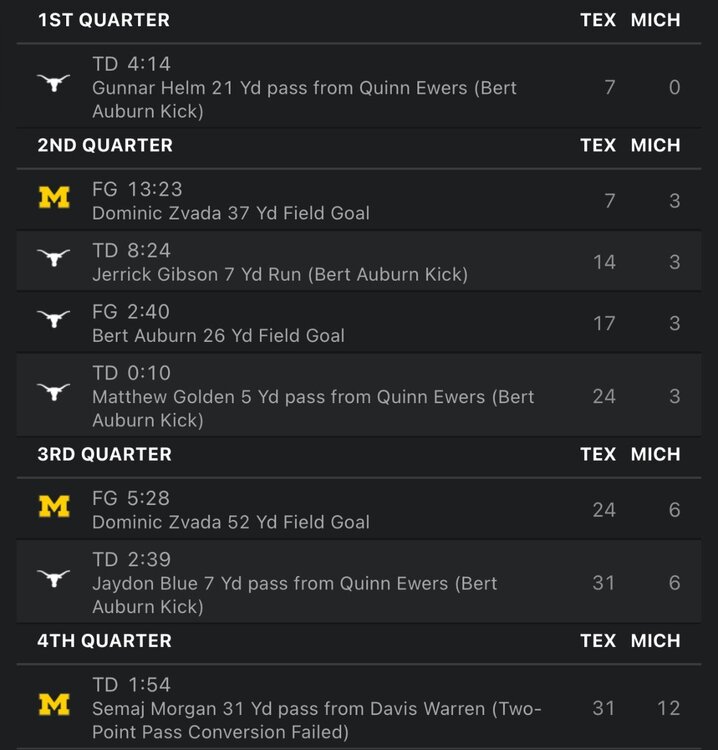
Scoring Summary
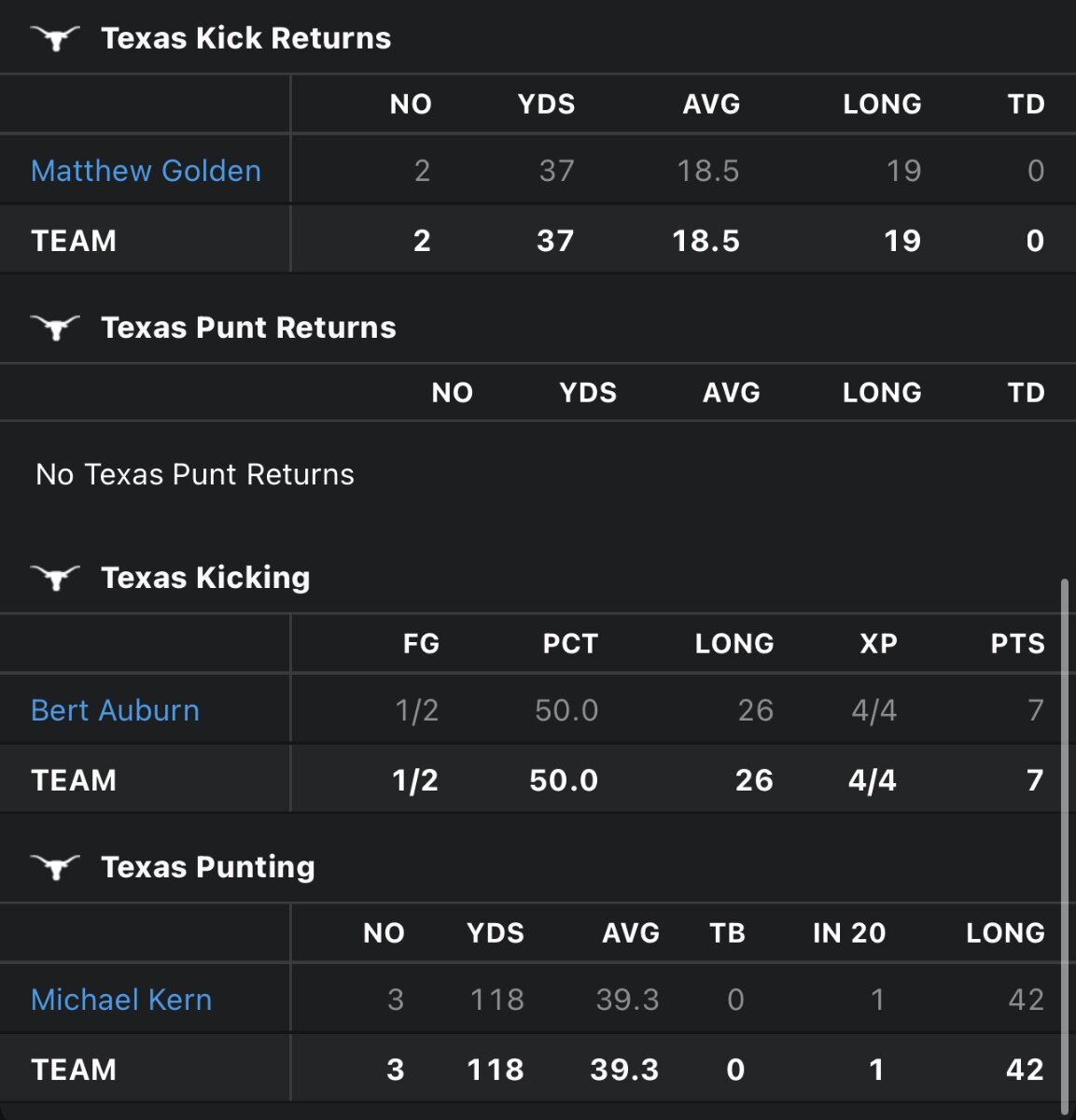
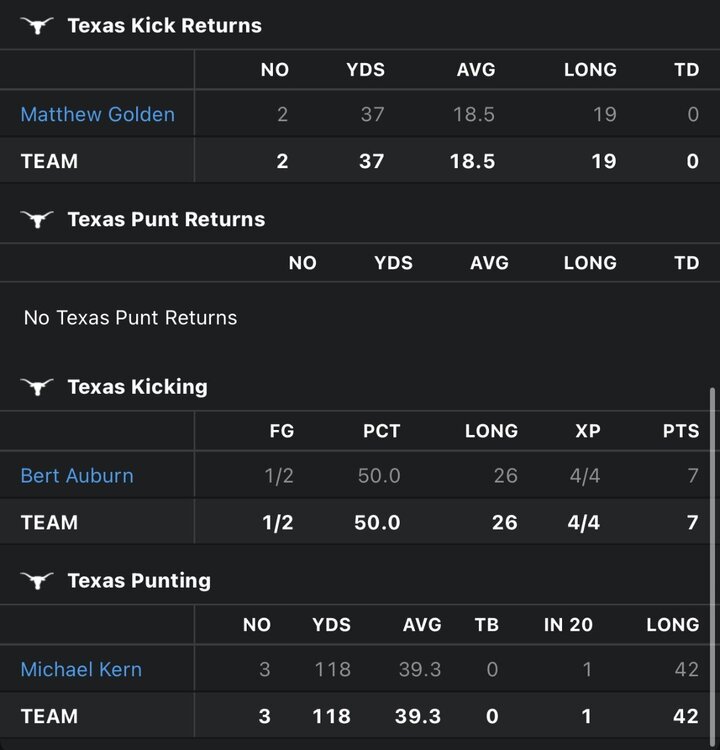
 Special Team Stats
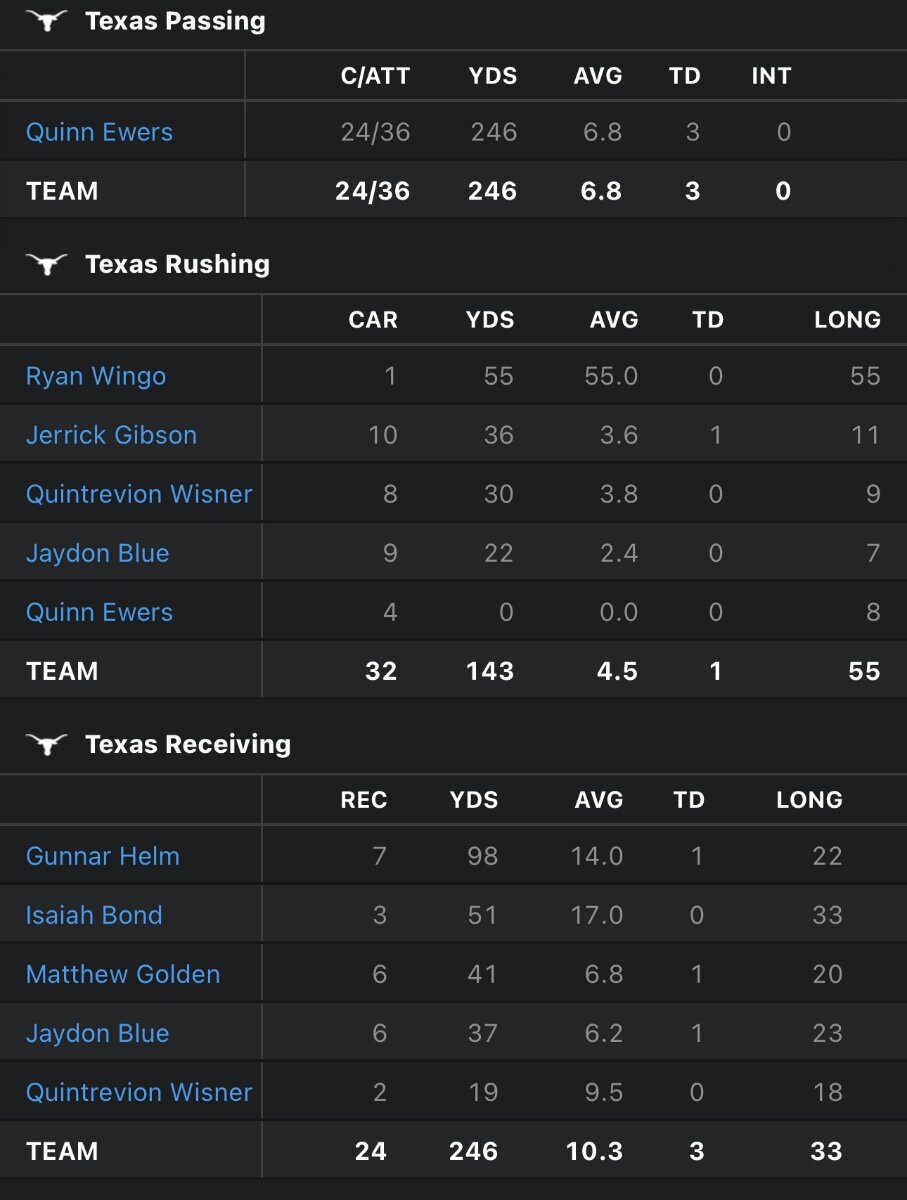
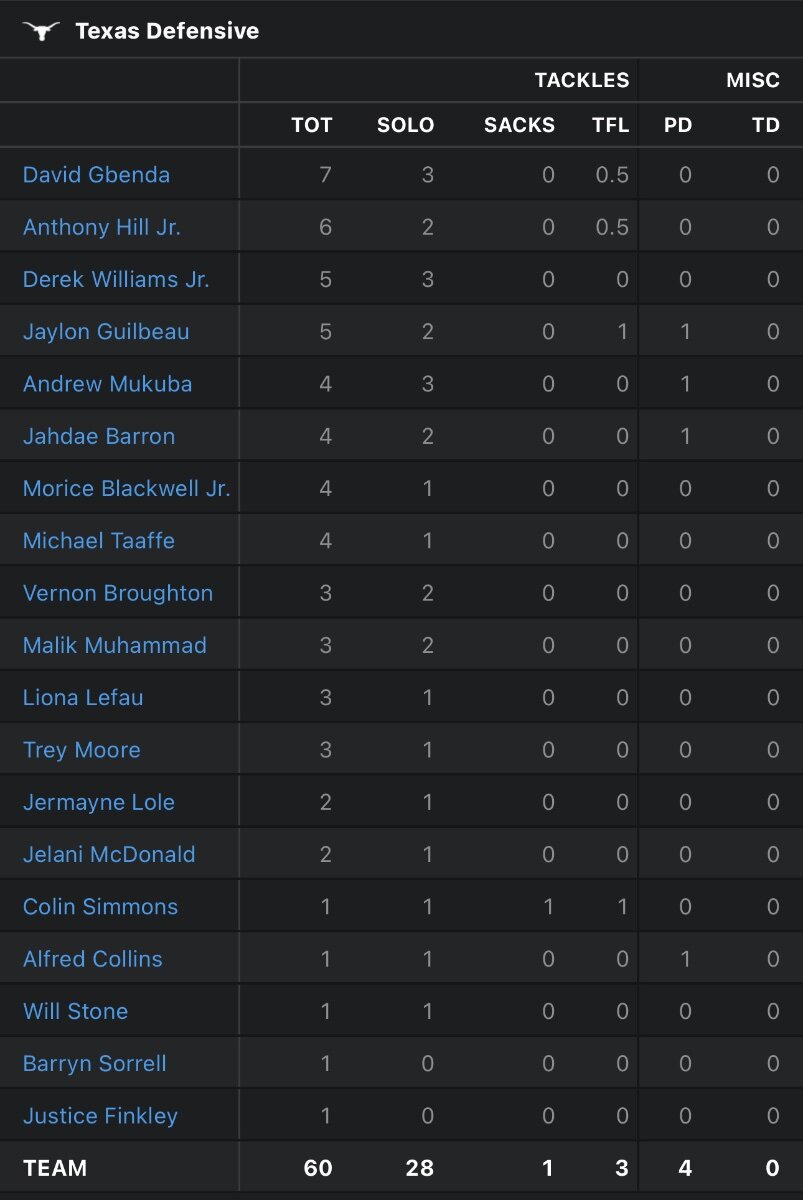
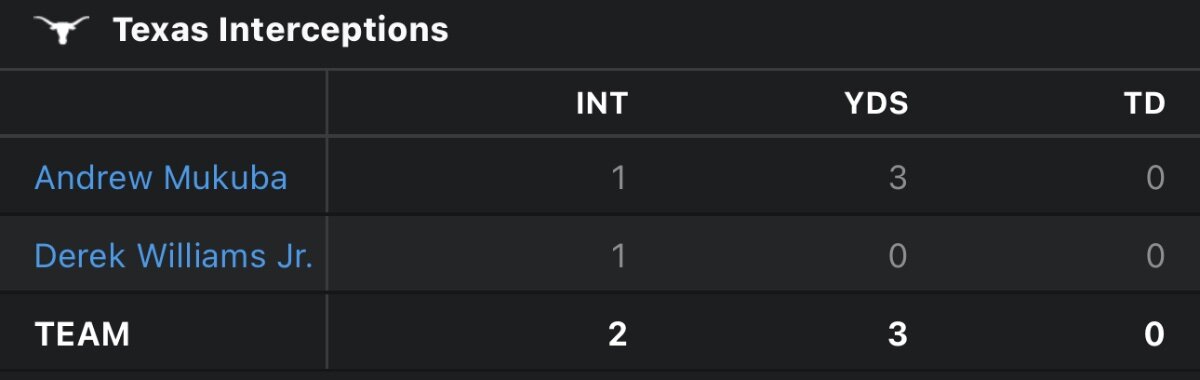
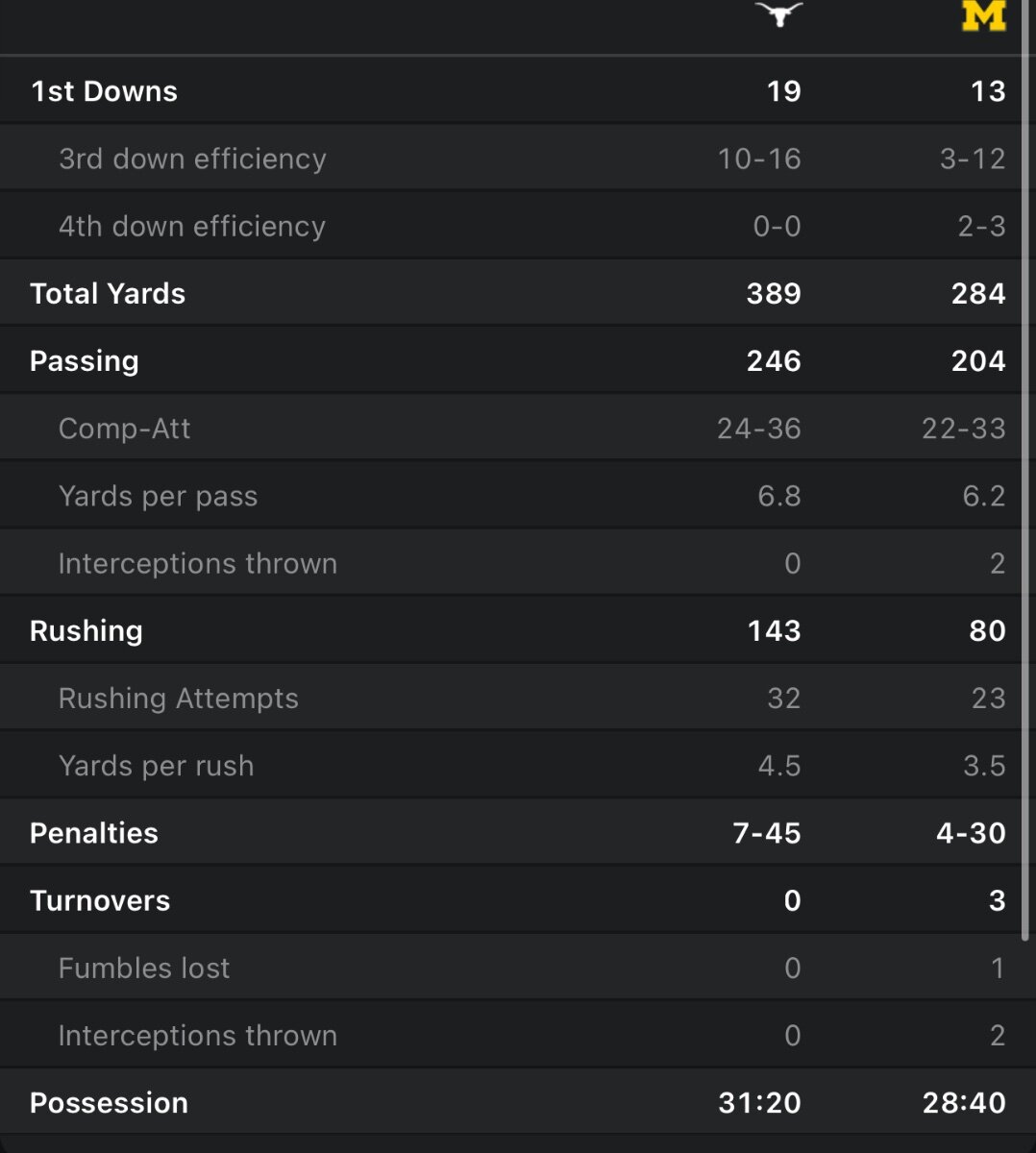
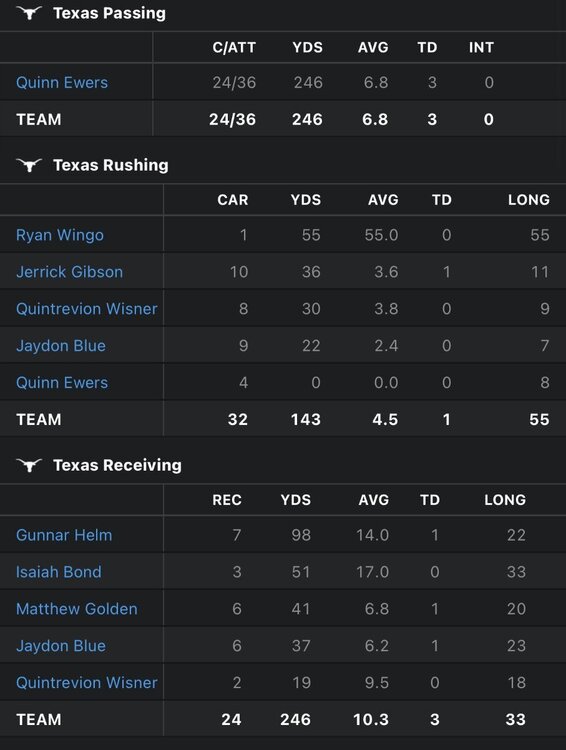
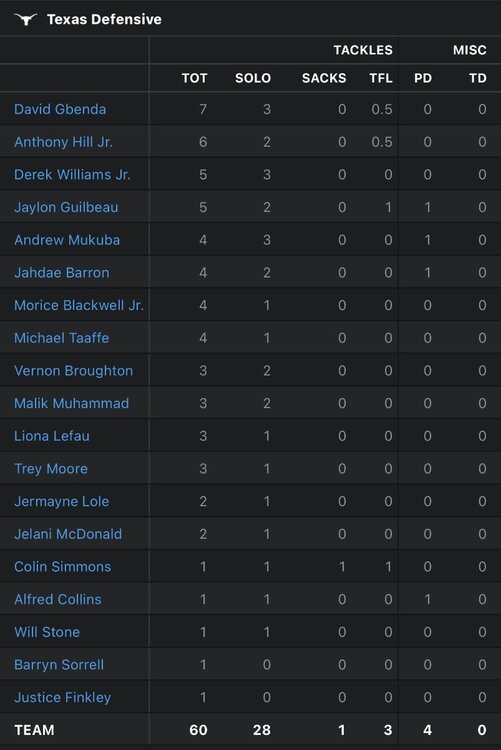
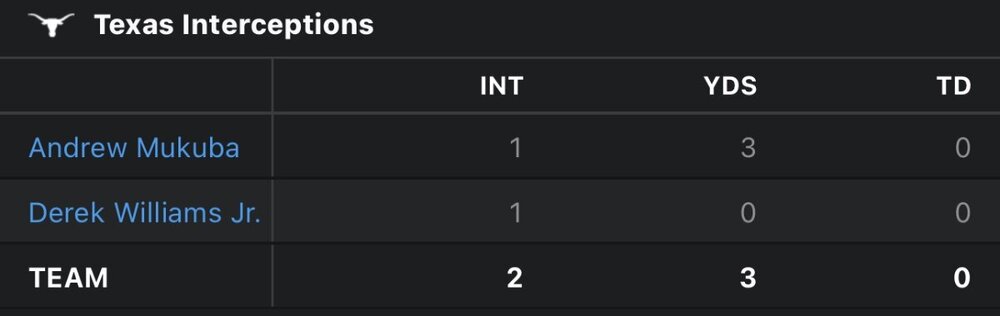
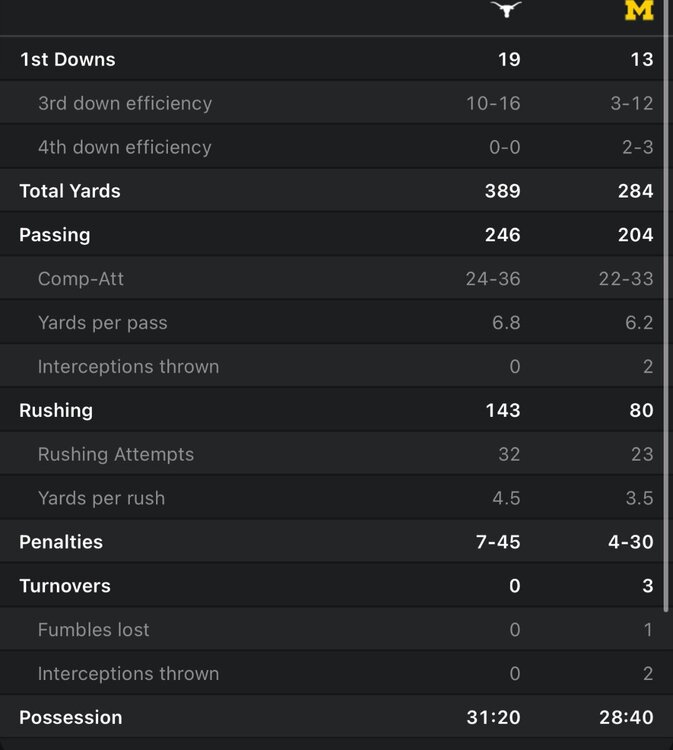
 The Longhorns defeated Michigan on Saturday 31-12. Texas, who is now 2-0, simply controlled the game from the start, posting 389 yards on offense while holding Michigan to 284. Offensive Stats Defensive Stats Team Stats
 Bobby is in Ann Arbor, Gerry is in Florida and I'm in Texas. Does that help? lolI scheduled this post haha…. But was up at 4:55!Join us for Coffee and Football to gear up for Texas-Michigan weekend! Show starts at 8:10 AM and we will be taking your questions plus discussing the big game! We will also be joined by Aaron McMann of MLive. Aaron knows a thing or two about Michigan and will give you his analysis of the game.Sorry yall. Got busy this morning!
Important Information
We have placed cookies on your device to help make this website better. You can adjust your cookie settings, otherwise we'll assume you're okay to continue.
Account
Navigation
Search
Configure browser push notifications
Chrome (Android)
- Tap the lock icon next to the address bar.
- Tap Permissions → Notifications.
- Adjust your preference.
Chrome (Desktop)
- Click the padlock icon in the address bar.
- Select Site settings.
- Find Notifications and adjust your preference.
Safari (iOS 16.4+)
- Ensure the site is installed via Add to Home Screen.
- Open Settings App → Notifications.
- Find your app name and adjust your preference.
Safari (macOS)
- Go to Safari → Preferences.
- Click the Websites tab.
- Select Notifications in the sidebar.
- Find this website and adjust your preference.
Edge (Android)
- Tap the lock icon next to the address bar.
- Tap Permissions.
- Find Notifications and adjust your preference.
Edge (Desktop)
- Click the padlock icon in the address bar.
- Click Permissions for this site.
- Find Notifications and adjust your preference.
Firefox (Android)
- Go to Settings → Site permissions.
- Tap Notifications.
- Find this site in the list and adjust your preference.
Firefox (Desktop)
- Open Firefox Settings.
- Search for Notifications.
- Find this site in the list and adjust your preference.